Here there is a simple example for generate a random password using php, it is quite easy and simple to make.
$length =10; // the length of the required password length
$characters_to_use ="abcdef1234567890"; // characters are to be use in your password
for($i = 0; $i < $length; $i++)
{
$do = mt_rand(0,strlen($characters_to_use)-1);
$password = $password . $characters_to_use{$do};
}
echo $password; // here you can view the password
Thursday, 22 September 2011

Wednesday, 21 September 2011
Hide navbar from blogger
If you want to hide or remove the navigation bar which is appear on the top region of your blogger, follow these steps
1. Login to your blogger.
2. Click "Designs".
3. Goes to "Template Manager", a template editor will be open.
4. Click on "Advanced" and then "Add css".
5. Then at right side text box areas put the below mentioned css code . and then click on "apply to Blog" option for saving this property to your blogger.
#navbar {
height: 0px;
visibility: hidden;
display: none;
}
6. Watch the changes in your browser.
1. Login to your blogger.
2. Click "Designs".
3. Goes to "Template Manager", a template editor will be open.
4. Click on "Advanced" and then "Add css".
5. Then at right side text box areas put the below mentioned css code . and then click on "apply to Blog" option for saving this property to your blogger.
#navbar {
height: 0px;
visibility: hidden;
display: none;
}
6. Watch the changes in your browser.
Monday, 19 September 2011
php web development tools - captcha
Web development tool CAPTCHA, stands for Completely Automated Public Turing to tell Computers and Humans Apart.
A CAPTCHA is a program that can generate distorted text that humans can see or listen but computer cannot.
Applications of CAPTCHA systems
-- Preventing Spam in Blogs.
-- Protecting Website Registration.
-- Search Engine Bots.
-- Worms and Spam.
In web application development we can use the following CAPTCHA systems that are listed below
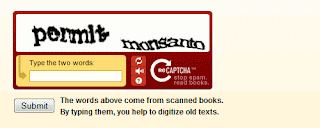
reCAPTCHA - In this type of CAPTCHA systems user can view the distorted text or also listen the text, now a days it is most popular CAPTCHA systems for web developers
Securimage : The Securimage Captcha script is free open-source. here the PHP script is used to generat complex images and complex CAPTCHA alphanumeric codes.

FreeCap - This script support GPL CAPTCHA script systems to stop spam
A CAPTCHA is a program that can generate distorted text that humans can see or listen but computer cannot.
Applications of CAPTCHA systems
-- Preventing Spam in Blogs.
-- Protecting Website Registration.
-- Search Engine Bots.
-- Worms and Spam.
In web application development we can use the following CAPTCHA systems that are listed below
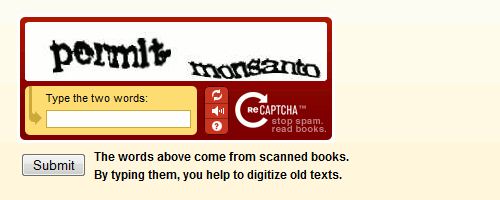
reCAPTCHA - In this type of CAPTCHA systems user can view the distorted text or also listen the text, now a days it is most popular CAPTCHA systems for web developers
Securimage : The Securimage Captcha script is free open-source. here the PHP script is used to generat complex images and complex CAPTCHA alphanumeric codes.

FreeCap - This script support GPL CAPTCHA script systems to stop spam
Sunday, 18 September 2011
function with static variables
static variables can not be reset
values can not change after execution
can not accessible through out the programme
function with global variables
accesible through program.
it generates a unique value after execution
can not assign any values at the time of declaring it or using it
php functions
means set of instructions
the basic syntax
function <function name>($arguments1, $arguments2, ......) {
statements1;
statements2;
}
It has four parts
-Special word function
-names that u want to give your function name
- function parameters list precided by dollar sign
- function body brace enclosed set of statements
Example
<?php
function xyz()
{
----
-----
}
?>
the basic syntax
function <function name>($arguments1, $arguments2, ......) {
statements1;
statements2;
}
It has four parts
-Special word function
-names that u want to give your function name
- function parameters list precided by dollar sign
- function body brace enclosed set of statements
Example
<?php
function xyz()
{
----
-----
}
?>
php is HTML embeddedness
Php is embedded within HTML.
All embeded scripting language don't need to be compiled into binary code before they can be tested or used , just write and run.
but PHP is interpreted.
PHP is portable (Cross Platform Compatible)
we can developed on any client OS and then uploaded your php script to a server on any OS.
Not tag based
All embeded scripting language don't need to be compiled into binary code before they can be tested or used , just write and run.
but PHP is interpreted.
PHP is portable (Cross Platform Compatible)
we can developed on any client OS and then uploaded your php script to a server on any OS.
Not tag based
Wednesday, 14 September 2011
CCavenue PHP script - Free ccavenue developers code in php
<?php
$Merchant_Id = "your_merchantid";//This id(also User Id) available at "Generate Working Key" of "Settings & Options"
$Amount = "amount";//your script should substitute the amount in the quotes provided here
$Order_Id ="orderid";//your script should substitute the order description in the quotes provided here
$WorkingKey = "working_key";//Given to merchant by ccavenue
$Redirect_Url ="http://www.yoursite.com/ccavenue_returndata.php";
$Checksum = getCheckSum($Merchant_Id,$Amount,$Order_Id ,$Redirect_Url,$WorkingKey); // Validate All value
?>
<p align="center" style="font-family:Calibri; font-size:18px;"><img src="http://www.example.com/images/loader.gif" alt="loader"></p>
<p align="center" style="font-family:Calibri; font-size:24px;color:#3670A7;">Processing to CCAvenue..............</p>
<form id="form2" method="post" action="https://www.ccavenue.com/shopzone/cc_details.jsp">
<input type=hidden name="Merchant_Id" value="<?php echo $Merchant_Id; ?>">
<input type="hidden" name="Amount" value="<?php echo $Amount; ?>">
<input type="hidden" name="Order_Id" value="<?php echo $Order_Id; ?>">
<input type="hidden" name="Redirect_Url" value="<?php echo $Redirect_Url; ?>">
<input type="hidden" name="Checksum" value="<?php echo $Checksum; ?>">
<input type="hidden" name="billing_cust_name" value="yourname"> <!--Pass Customer Full Name -->
<input type="hidden" name="billing_cust_address" value="123 Green Acres,West Eden"><!--Pass Customer Full Address-->
<input type="hidden" name="billing_cust_country" value="India"> <!--Pass Customer Country -->
<input type="hidden" name="billing_cust_state" value="AP"><!--Pass Customer State -->
<input type="hidden" name="billing_cust_city" value="Kakinada"> <!--Pass Customer City -->
<input type="hidden" name="billing_zip" value="533002"> <!--Pass Customer Zip Code-->
<input type="hidden" name="billing_cust_tel" value="9999999999"> <!--Pass Customer Phone No-->
<input type="hidden" name="billing_cust_email" value="test_test@yahoo.com"> <!--Pass Customer Email address-->
<input type="hidden" name="delivery_cust_name" value="delivery_name"> <!--Pass Same or other other detail fill by customer-->
<input type="hidden" name="delivery_cust_address" value="123 Green Acres,West Eden">
<input type="hidden" name="delivery_cust_country" value="India">
<input type="hidden" name="delivery_cust_state" value="AP">
<input type="hidden" name="delivery_cust_tel" value="999999999">
<input type="hidden" name="delivery_cust_notes" value="Testing ccav">
<input type="hidden" name="Merchant_Param" value="">
<input type="hidden" name="billing_zip_code" value="533002">
<input type="hidden" name="delivery_cust_city" value="Kakinada">
<input type="hidden" name="delivery_zip_code" value="533002">
<input type="submit" value="Proceed to Buy Now" />
</form>
<?php
function getchecksum($MerchantId,$Amount,$OrderId ,$URL,$WorkingKey)
{
$str ="$MerchantId|$OrderId|$Amount|$URL|$WorkingKey";
$adler = 1;
$adler = adler32($adler,$str);
return $adler;
}
function verifychecksum($MerchantId,$OrderId,$Amount,$AuthDesc,$CheckSum,$WorkingKey)
{
$str = "$MerchantId|$OrderId|$Amount|$AuthDesc|$WorkingKey";
$adler = 1;
$adler = adler32($adler,$str);
if($adler == $CheckSum)
return "true" ;
else
return "false" ;
}
function adler32($adler , $str)
{
$BASE = 65521 ;
$s1 = $adler & 0xffff ;
$s2 = ($adler >> 16) & 0xffff;
for($i = 0 ; $i < strlen($str) ; $i++)
{
$s1 = ($s1 + Ord($str[$i])) % $BASE ;
$s2 = ($s2 + $s1) % $BASE ;
//echo "s1 : $s1 <BR> s2 : $s2 <BR>";
}
return leftshift($s2 , 16) + $s1;
}
function leftshift($str , $num)
{
$str = DecBin($str);
for( $i = 0 ; $i < (64 - strlen($str)) ; $i++)
$str = "0".$str ;
for($i = 0 ; $i < $num ; $i++)
{
$str = $str."0";
$str = substr($str , 1 ) ;
//echo "str : $str <BR>";
}
return cdec($str) ;
}
function cdec($num)
{
for ($n = 0 ; $n < strlen($num) ; $n++)
{
$temp = $num[$n] ;
$dec = $dec + $temp*pow(2 , strlen($num) - $n - 1);
}
return $dec;
}
?>
Subscribe to:
Posts (Atom)
